Plastic Cheats – Professional Debugging & Cheat Framework – Unreal Engine
Plastic Cheats is a powerful debugging and cheat framework designed to speed up development workflows in Unreal Engine.
Create debug values, cheat commands and visualize real-time data in seconds.
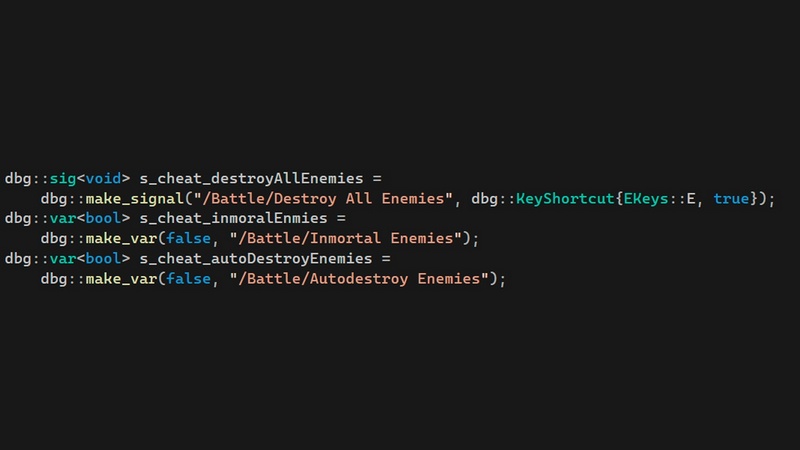
With just two lines of C++ code or a couple blueprint calls.
Designed to integrate into existing codebases without refactoring.
Designed for Production Projects
Plastic Cheats provides a structured way to manage debugging inside your project.
Create cheats and debug actions easily
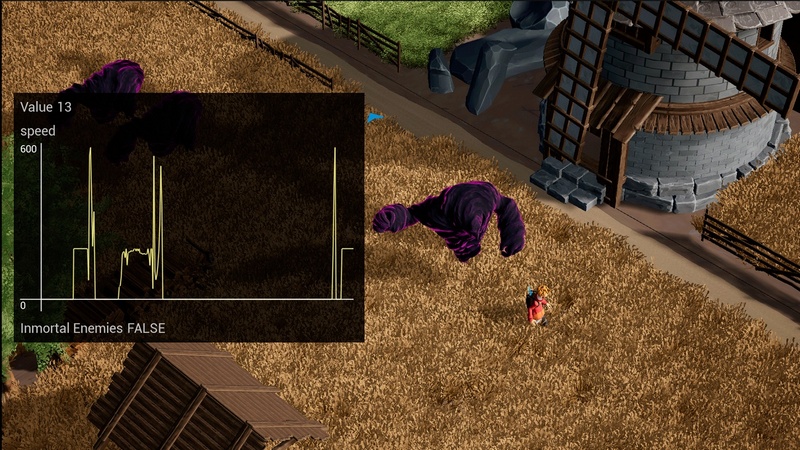
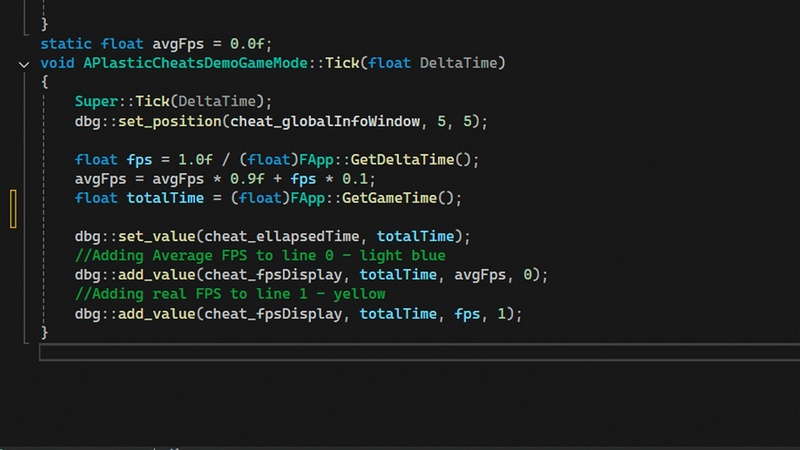
Create real-time graphs for gameplay variables
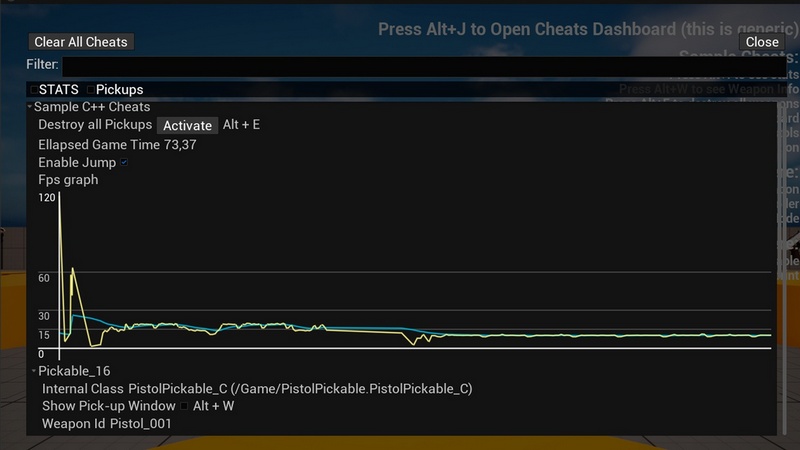
Access all tools through an automatically generated dashboard.
Modify values on-the fly through the dashboard or via shortcuts.
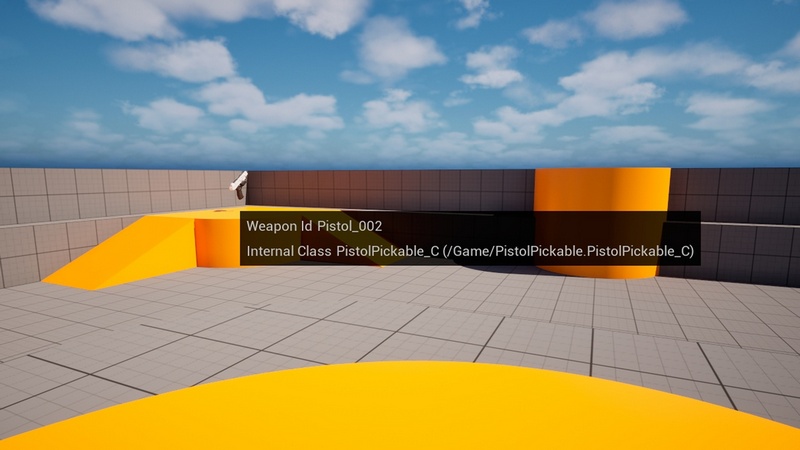
Create floating windows for live tuning
No need to build custom debug menus or maintain separate tools.
Automatic Debug Dashboard
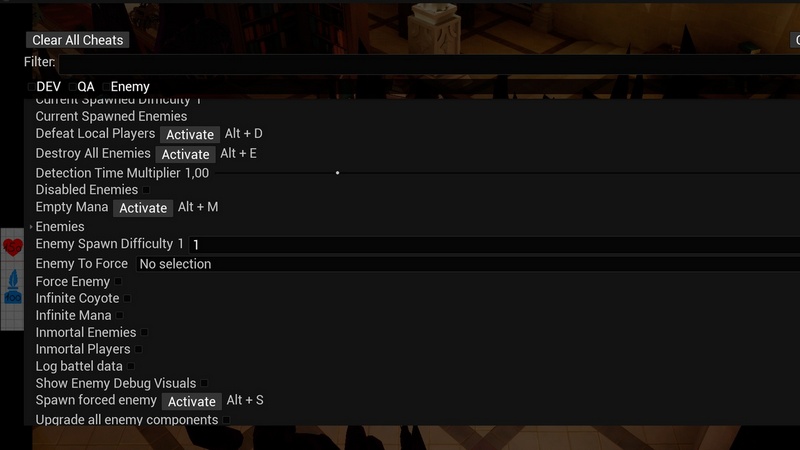
Every cheat command, debug option, and graph is automatically registered in a searchable dashboard.
Tag system for organizing large projects
Automatic filters
Full Input Support
Compatible with:
Mouse & Keyboard
Gamepad
Touch controls
Suitable for PC, console, and mobile projects.
C++ Integration
Plastic Cheats is designed to fit naturally into C++ projects.
Lightweight API – Declare debug values and register commands with simple function calls.
Minimal setup – Just include the header and start registering cheats.
Non-intrusive — No special initialization, or additional boilerplate required.
Architecture-friendly — Works alongside existing gameplay systems without forcing structural changes.
Blueprint Integration
Plastic Cheats is fully compatible with Blueprint-based workflows.
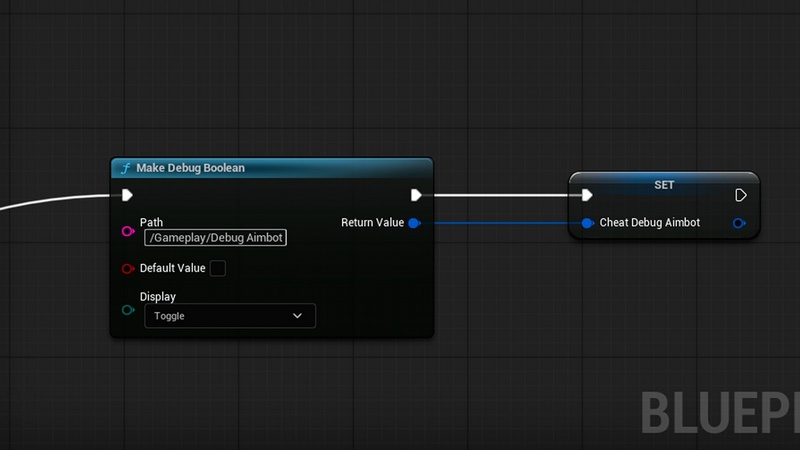
Create member variables from your Blueprint classes as debug values
Get and set values through simple Blueprint nodes
Register cheat commands and floating windows directly from Blueprints.
Technical details:
Please see notes for the detailed description of “cheat”.
Features:
Create cheats by declaring C++ variables
Create cheats by declaring Blueprint variables
Automatically generated dashboard based on created cheats
Read and Write cheats with C++ / Blueprint functions
Change cheats through the dashboard
Configure shortcuts for cheats
Code Modules:
Plastic Cheats – Runtime + Editor
Number of Blueprints: 0
Number of C++ Classes: 4 (C++) + 10 (Blueprint classes in C++)
Network Replicated: NO
Supported Development Platforms:
Windows: Yes
Mac: Yes
Supported Unreal Engine Versions: 5.5 – 5.7
Supported Target Build Platforms: Windows, Macosx, Android, IOS.
Examples: Please find usage examples in the Demo folder inside both the Source and Content folders
Instalaltion notes:
Please make sure you add “Slate” and “SlateCore” to your PublicDependencyModuleNames when adding C++ cheats to your project
In this description, the word cheat will be used to encompass the following elements:
Debug values (variables used in-game to configure or alter gameplay behaviour – example: Speed Multiplier)
Debug calls (functions that are called to trigger events – example: Level up)
Debug floating windows
Debug/Profiling Graphs (example: Enemy aggro over time)
Though untested, the system should be compatible with all major consoles: PS5, Switch and Xbox Series.


Recent Comments