Weather Wizard – Unreal Engine
DEMO VIDEO 1 DEMO VIDEO 2 DEMO VIDEO 3
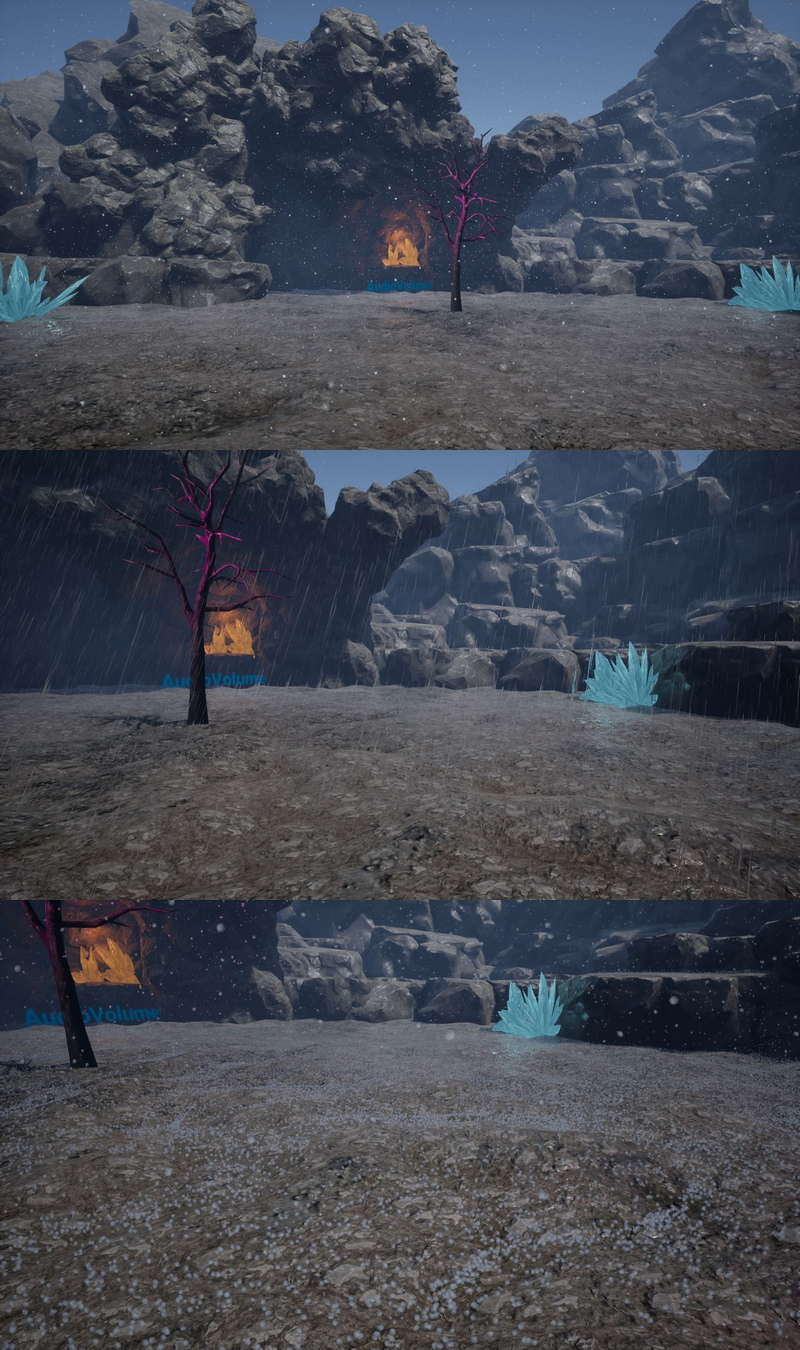
TirelessPanda’s WeatherWizard contains a blueprint component to couple with a “weather representing” particle system. Suitable for gameplay, cinematic and other visualizations. Fast implementation with any character, empty or camera containing actor.
It spawns particles based on quantity over time (defined by curves and is loopable).
This allows for different weather patterns; cross-, start-, endfade, endlessness or combinations like hail and rain together. Random weather start included, based on user selection.
Comes with a SoundClass, for automatic “weather ambient volume” adjustment, based on quantity or length.
Works with Audio Volume’s “Ambient Zone” Settings (Low Pass Filter to influence rain sound inside a building, car etc)
Example Particles Rain, Hail & Snow blend with background colors, absorb light, collide with generated Distance Fields and include some minor settings like, opacity, near camera fading etc.
Features:
Blueprint Component
User based Weather starting randomization
Curves allowing crossfading weather patterns for minutes, hours or endless
Sound Class with auto volume adjustment
Example Ambient Sound included
Works with Audio Volumes Lowpass Filter (adjust ambient sound when inside building etc)
Very easy to implement own Particle System
Example Particles included (Rain, Hail & Snow)
Particles collide with Scene (all), absorb light (all) & blend background color (snow).
Settings included like opacity, near camera fade etc
Number of Blueprints: 1 Component, 1 Actor, 1 Character, 1 Gamemode and 1 Struct
Other Content: 1 Particle System, 3 Materials, 1 MPC, 4 Textures, 13 Curves, 1 SoundClass, 1 SoundWave/Cue,
Demo Map Assets about 10 mesh with textures/materials from Epics SoulCave
Input: Keyboard, Mouse
Network Replicated: No
Supported Development Platforms: Windows x64
Supported Target Build Platforms: Windows x64
Supported Unreal Engine Versions: 4.21 – 4.27 and 5.0 – 5.8
Important/Additional Notes: Needs to have Generated Mesh Distance Field in Project settings activated.



Recent Comments