Building Hider – Unreal Engine
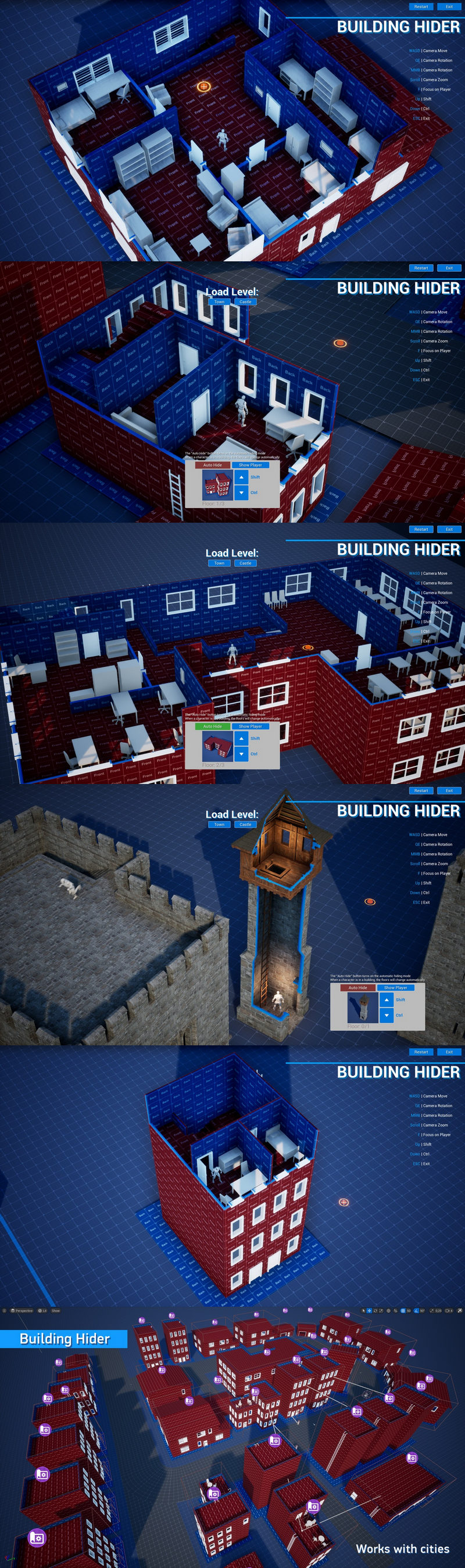
This asset is a collection of blueprints and materials designed to help you create multi-story buildings with the ability to switch floors for top-down projects.
Building Hider allows you to create your buildings from separate meshes directly in the Unreal editor, and then combine them into a singular mesh with the ability to switch between floors.
The hiding effect is shader-based and runs on the GPU. Combining the building into a single mesh significantly reduces the number of draw calls, which allows you to maintain high game performance even when this asset is used in the creation of entire cities.
Features:
Ability to manually switch between floors of the building
Auto-hide mode that switches floors depending on the position of the player’s character
Ability to auto-hide characters and other objects that can move during the game
Hidden buildings can cast shadows
Works with building rotation
Works with decals
Designed with optimization in mind, allows you to create entire cities with hideable floors
Asset includes 10 example levels that show how to create buildings with this asset
Technical details:
Completely made in blueprints.
Only for engine version 4.27 you need to enable the “Editor Scripting Utilities” plugin before adding an asset to the project.
(This plugin is already in the engine, but not enabled)
Restrictions:
The maximum number of floors is 99.
Mesh Paint Mode isn’t supported, vertex color channels are used for hiding materials.
This asset is designed for creation of buildings out of separate parts. If the model of your building consists of a single mesh, you will first need to separate it into individual parts in any 3D editor of your choice.
Contains:
10 Levels with examples
30 Blueprints and Widgets
4 Material Functions
20 Materials
12 Textures
160 Meshes
Compatibility
Supported Unreal Engine Versions
4.27 and 5.0 – 5.7




Recent Comments